

Tools
Save from anywhere

Every find, saved like a gift.
Pick the photos and videos you love on any website, add a title, tags and notes, and keep it all in one card in your collection.
Version 2.0.1 · Chrome, Edge, Brave, Arc and Opera

Pick your photos & videos
Every image and video on the page, YouTube and Vimeo included, in one grid. Tick the ones you want.
Add the details
Edit the title, write a description, add tags, a price and private notes before you save.
One card, a whole gallery
Everything you picked lives in one card you can swipe through on your board.
Install the extension
- Download the zip and unzip it.
- Open
chrome://extensions(Edge:edge://extensions) and turn on Developer mode. - Click Load unpacked and choose the
mansion-access-savefolder. - Pin the gift icon from the puzzle-piece menu. Click it on any page, or press
Alt+Shift+S.
Updating from an older version: remove the old one first, or download again and click the reload arrow on its card.
Or use the bookmark
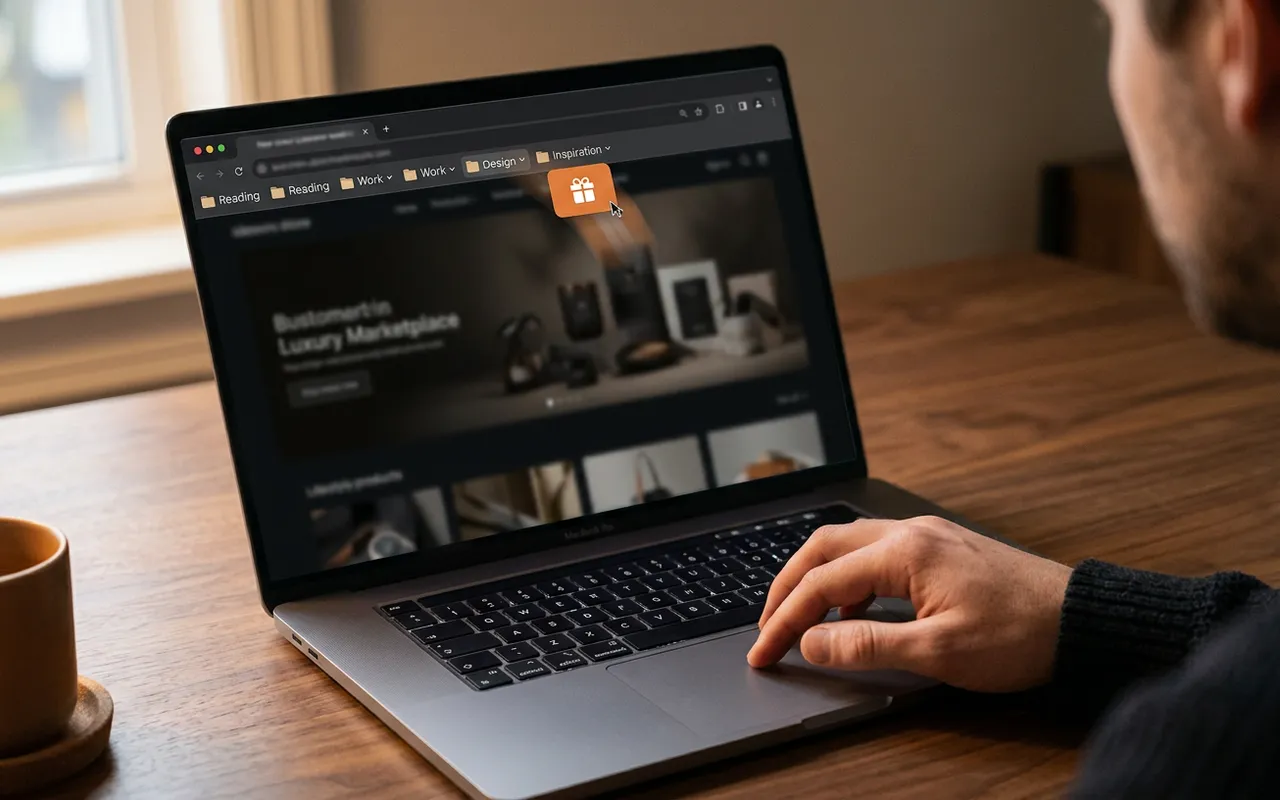
For Safari and Firefox. Show your bookmarks bar, then drag this button onto it:
🎁 Save to Mansion Access{var r=(function(){var d=document,out=[],seen={},base=location.href;function abs(u){try{return new URL(u,base).href}catch(e){return null}}function add(t,src,poster,w,h,prov){src=abs(src);if(!src||!/^https?:/i.test(src)||seen[src])return;seen[src]=1;out.push({type:t,src:src,poster:poster?abs(poster):null,provider:prov||null,w:w||0,h:h||0})}function meta(s){var m=d.querySelector(s);return m?m.getAttribute("content"):null}function best(ss){if(!ss)return null;var b=null,bw=-1;ss.split(/,\s+/).forEach(function(p){var a=p.trim().split(/\s+/),w=parseFloat(a[1])||1;if(a[0]&&w>bw){bw=w;b=a[0]}});return b}function yt(u){var m=String(u||"").match(/(?:youtube(?:-nocookie)?\.com\/(?:embed\/|shorts\/|watch\?(?:.*&)?v=)|youtu\.be\/)([\w-]{11})/i);return m?m[1]:null}function vm(u){var m=String(u||"").match(/vimeo\.com\/(?:video\/)?(\d{6,12})/i);return m?m[1]:null}function emb(u){var y=yt(u);if(y){add("video","https://www.youtube.com/watch?v="+y,"https://i.ytimg.com/vi/"+y+"/hqdefault.jpg",1280,720,"youtube");return 1}var v=vm(u);if(v){add("video","https://vimeo.com/"+v,null,1280,720,"vimeo");return 1}return 0}emb(location.href);var og=meta('meta[property="og:image:secure_url"]')||meta('meta[property="og:image"]')||meta('meta[name="twitter:image"]');var ogv=meta('meta[property="og:video:secure_url"]')||meta('meta[property="og:video:url"]')||meta('meta[property="og:video"]');if(ogv&&!emb(ogv)&&/\.(mp4|webm|mov|m4v)(\?|$)/i.test(ogv))add("video",ogv,og,0,0,null);if(og)add("image",og,null,0,0,null);d.querySelectorAll("video").forEach(function(v){var s=v.currentSrc||v.getAttribute("src");if(!s||/^blob:/i.test(s)){var so=v.querySelector("source[src]");s=so?so.getAttribute("src"):null}if(s&&!/^blob:/i.test(s))add("video",s,v.getAttribute("poster"),v.videoWidth,v.videoHeight,null);else if(v.getAttribute("poster"))add("image",v.getAttribute("poster"),null,v.clientWidth,v.clientHeight,null)});d.querySelectorAll("iframe[src]").forEach(function(f){emb(f.getAttribute("src"))});d.querySelectorAll("img").forEach(function(i){var w=i.naturalWidth||i.width,h=i.naturalHeight||i.height;if(w&&h&&(w<120||h<120))return;var p=i.parentElement,s=null;if(p&&p.tagName==="PICTURE"){var so=p.querySelector("source[srcset]");s=so?best(so.getAttribute("srcset")):null}s=s||best(i.getAttribute("srcset"))||i.currentSrc||i.getAttribute("src")||i.getAttribute("data-src");if(s&&!/^data:/i.test(s))add("image",s,null,w,h,null)});return{url:location.href,title:d.title,media:out.slice(0,60)}})();var f=r.media.filter(function(m){return m.type==='image'})[0]||r.media[0];var q='url='+encodeURIComponent(r.url)+'&title='+encodeURIComponent(String(r.title).slice(0,200))+'&img='+encodeURIComponent(f?(f.type==='image'?f.src:(f.poster||'')):'');window.open('https://mansionaccess.com/save?'+q+String.fromCharCode(35)+'ma='+encodeURIComponent(JSON.stringify({v:1,media:r.media})),'ma_save','width=640,height=860')})();)
Browsers show bookmarks like this one with a plain icon (a bookmark can't carry its own icon). The extension shows the gift, and so does a normal bookmark of this page.
On your phone
Copy the page link and open Save a link. Paste it to save it to a board or post it to your News Feed.